OptiDraft Blog
How to Choose a Newspaper Generator for Fast, Flexible Layout Creation
By OptiDraft 14 min read
A newspaper generator can help teams create polished newspaper-style layouts without starting from scratch. This guide explains what it is, how it works, what to look for, and how to decide whether it fits your workflow.
If you need to create a newspaper-style layout without building every page from scratch, a newspaper generator can be a practical option. These tools are designed to help people assemble headlines, body copy, images, and design elements into a publication that looks organized and professional. They are especially useful when the goal is to produce a finished layout quickly, keep a consistent style across issues, or let non-designers work on a project with less friction.
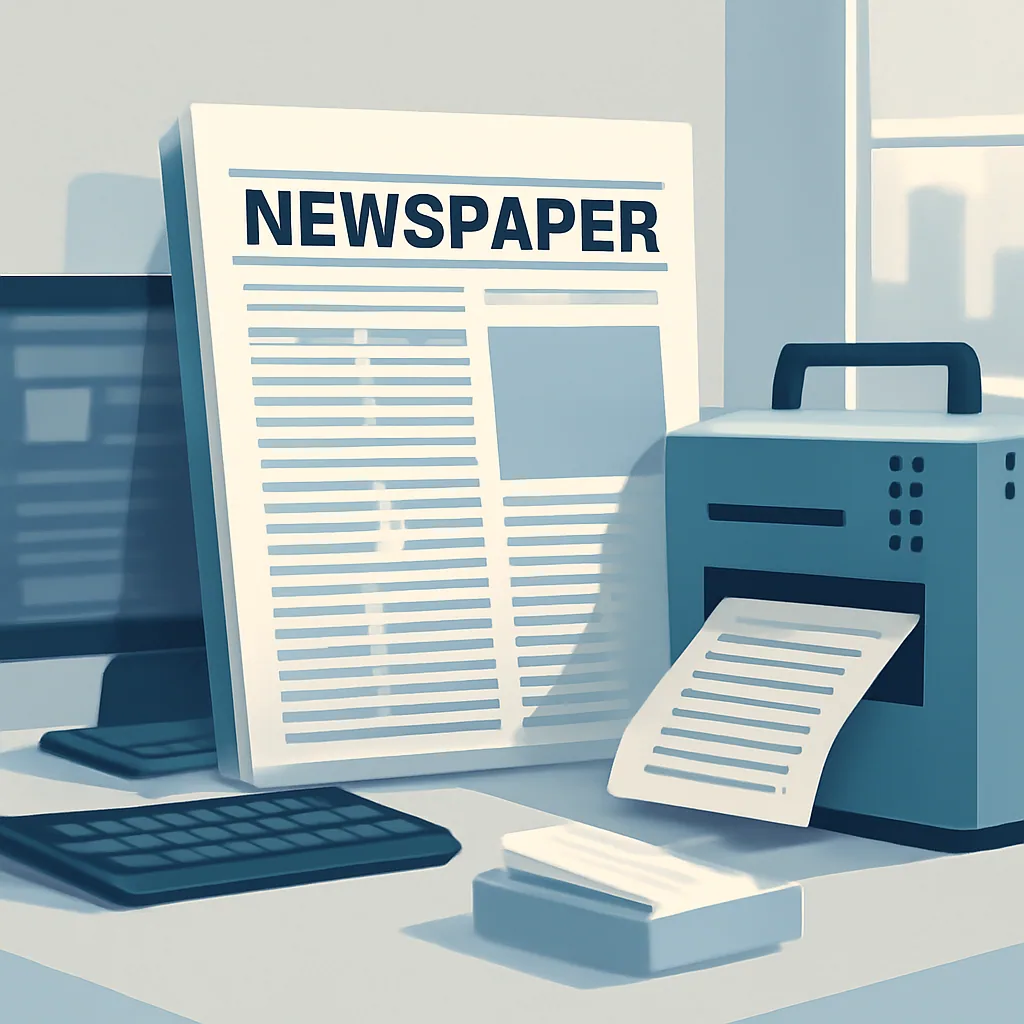
This guide takes a practical angle: how to evaluate a newspaper generator for real publishing work. Rather than treating the tool as a novelty, we will look at the tasks it can simplify, the limits you should expect, and the features that matter most when you are choosing one for education, internal communications, marketing, or a small publication workflow.

What a newspaper generator actually does
A newspaper generator usually combines layout templates with simple editing tools. Instead of designing every column, headline block, caption, and sidebar manually, you start from a structure that already resembles a newspaper page. You then replace placeholder content with your own text and images, adjust fonts or colors, and export the result for print or digital use.
That basic idea sounds simple, but it solves several common problems at once. People who do not know desktop publishing software can still create a clean layout. Small teams can produce repeatable issues without hiring a full design department. Teachers, students, nonprofits, and internal communications teams can build polished pages without needing advanced creative skills.
It is also worth separating a newspaper generator from general writing software. A writing app helps you draft text. A newspaper generator helps you arrange that text in a publication format. Some tools may also support editing or automation features, but the core value is usually layout creation and presentation, not just writing.
When this tool is the right fit
Not every project needs a newspaper-style generator. In some cases, a blank layout or a conventional content management system is more flexible. In others, the structure of a template can save time and make the end result easier to read. The right choice depends on the purpose of the publication and how much control you need over the final design.
A newspaper generator is often a good fit when you want one or more of the following outcomes:
- A repeatable format for recurring newsletters, school papers, or internal bulletins.
- A quicker way to produce a visually balanced page than designing from scratch.
- A tool that lets non-designers work with structure, rather than a blank canvas.
- A cleaner handoff between writers, editors, and people responsible for publication layout.
- A simple way to create mock newspaper pages for teaching, presentations, or promotional materials.
It is less useful when your publication needs unusual page structures, highly custom art direction, or a level of brand control that templates cannot provide. In those cases, a manual design workflow may be more appropriate.
How a newspaper generator usually works
Most tools follow a similar process, even if the interface varies. Understanding that process can help you choose a platform that matches the way your team actually works.
1. Start with a template or page size
The first step is usually selecting a page style. Some tools offer broadsheet-inspired designs, while others use a more compact or modern newspaper look. You may also be able to choose a page count, column structure, or cover-page format. This is where the tool gives you a framework instead of forcing you to build one manually.
2. Add headlines, body text, and images
Once the layout is ready, you insert your content into the page. Good tools make it easy to swap placeholder text with your own writing and place images where they belong. The layout should automatically respond when content is added, though some cleanup is usually needed to keep spacing and alignment balanced.
3. Edit typography and visual details
At this stage, you refine the appearance. That may include choosing fonts, adjusting column widths, changing headline sizes, setting color accents, or moving blocks so the page feels intentional. A strong newspaper generator makes these adjustments straightforward without forcing users into technical design settings.
4. Review and export
Before publishing, review the page for typos, awkward breaks, missing captions, and spacing issues. Then export the file in the format the tool supports, such as a printable document or digital asset. If the publication will be shared with others, make sure the final file is easy to access and consistent with the original layout.
Features that matter most when comparing tools
Marketing pages often list many features, but not all of them matter equally. When you are comparing a newspaper generator, focus on the functions that affect everyday usability and output quality.
| Feature | Why it matters | What to check |
|---|---|---|
| Template variety | Gives you more flexibility for different publication styles | Whether the templates fit your intended use, not just the preview images |
| Editable text boxes | Makes content insertion easier and reduces manual formatting | How easily you can resize, move, or link text areas |
| Image handling | Improves the visual quality of the page | Supported file types, cropping controls, and image placement behavior |
| Brand controls | Helps keep the publication consistent | Font, color, logo, and spacing customization |
| Collaboration tools | Useful for teams that need review and approval workflows | Commenting, shared access, version history, and role permissions |
| Export options | Determines how easily you can publish or print the final result | Whether the tool supports the output format you actually need |
Do not overvalue advanced features you may never use. A simple but reliable newspaper generator is often better than a complicated one that slows down your workflow.
Benefits of using a newspaper generator in real workflows
The main benefit of a newspaper generator is not that it does everything for you. It is that it reduces the amount of work needed to create a page that already looks organized. That matters when you need to publish often, train new contributors, or keep production costs under control.
Faster layout creation
Starting from a template can cut out many repetitive setup tasks. Instead of creating columns, headers, and spacing rules manually, you focus on content and presentation. This can be especially useful for recurring projects where the structure stays similar from issue to issue.
More consistent formatting
Consistency helps a publication look credible. If multiple people contribute to the same project, a template-based workflow can prevent the page from becoming visually chaotic. That consistency is helpful for student newspapers, internal updates, community newsletters, and brand-driven publications.
Lower design friction for non-designers
Many people who need to produce a newspaper-style page are writers, teachers, coordinators, or marketers, not layout specialists. A newspaper generator gives those users a practical structure to work within, so they can focus on the message rather than the mechanics of design software.
Easier collaboration
When several people contribute to one publication, a shared layout reduces confusion. Writers can prepare copy, editors can review text, and designers or coordinators can finalize the page. Even if the tool is simple, that shared structure helps the process move more smoothly.
How to decide whether to use a template or build manually
One of the most important decisions is whether the project should use a generator at all. The answer depends on how much control you need and how often you will repeat the same publishing pattern.
| Use a newspaper generator when... | Build manually when... |
|---|---|
| You need a repeatable structure for recurring issues | Every page needs a unique art-directed layout |
| Several people will contribute without design training | A specialist designer is handling each layout |
| You want speed and consistency over full creative freedom | You need complete control over spacing, typography, and page architecture |
| You are producing educational, internal, or promotional materials | The publication is a high-end branded piece with custom visuals |
| You want a low-friction way to test ideas before committing to a final design | You already have a detailed production system in place |
If you are unsure, start with a tool and treat the first version as a working draft. That approach lets you see whether the template supports your content before you invest more time in polishing the layout.
Practical use cases across different audiences
Because the word “newspaper” can imply a specific format, some readers assume the tool is only useful for newsrooms. In practice, a newspaper generator can support a wide range of content projects.
For students and teachers
Classroom projects can use newspaper layouts to help students organize stories, interviews, opinion pieces, and visual elements into one publishable format. That can be useful for assignments that combine research, writing, and presentation skills. A teacher might ask students to create a historical front page, a fictional local paper, or a school event newsletter.
Example: a middle school class creates a one-page newspaper about a science fair. Each student handles a different section: one writes the lead story, another prepares a feature profile, another designs headlines, and a fourth edits captions. A newspaper generator gives the team a shared structure so the project feels organized instead of pieced together.
For small businesses
Small businesses may use newspaper-style layouts for community updates, event roundups, product highlights, or branded internal newsletters. The main value is speed: you can create a polished communication piece without building an elaborate design system from scratch. The format can also help a business present information in a clear, editorial style rather than in a simple announcement format.
For nonprofits
Nonprofits often need to share stories, announcements, event recaps, and donor updates. A newspaper-style layout can make these materials feel more substantial and readable. It can also help organize long-form updates into sections that are easier to scan.
For agencies and marketing teams
Agencies may use a newspaper generator for campaign mockups, branded content samples, internal updates, or presentation materials. The goal is usually not to replace a full design suite but to create a fast, structured draft that can be refined later if needed.
How to create better pages with a newspaper generator
Having a template does not guarantee a good result. The quality of the final page still depends on the choices you make. A few practical habits can improve the output significantly.
Start with a clear content hierarchy
Before you place anything on the page, decide what the reader should notice first. The main headline should support the primary story. Subheads should divide the page into understandable sections. Images should reinforce the content, not compete with it. If everything is equally loud, the page becomes harder to read.
Keep the page balanced
Newspaper-style layouts often use multiple columns and blocks, which can make the page feel crowded if you overfill it. Leave room for breathing space. Use shorter paragraphs, consistent spacing, and image placement that helps the page feel deliberate rather than packed.
Match the tone to the audience
A school publication, a nonprofit newsletter, and a business update will not use the same voice. Even when the layout is similar, the writing should suit the reader. A newspaper generator helps structure the page, but the tone still needs editorial judgment.
Use images with a purpose
Do not add images just to fill white space. Choose visuals that help explain the story, highlight a person or event, or break up sections in a meaningful way. Captions can also add value when they clarify why the image belongs on the page.
Review the page at full size
Layouts can look fine while you are editing them and still fail when viewed as a complete page. Before publishing, step back and check the page as a reader would. Look for awkward text flow, images that do not connect to the text, and headlines that are too long for the available space.
Common mistakes to avoid
Even with a useful template, some problems appear again and again. Avoiding them can make your final publication look much more professional.
- Overstuffing the page: Too much copy can make the design feel cramped and harder to scan.
- Using too many font styles: Mixing several typefaces can make the publication look inconsistent.
- Ignoring alignment: Misaligned elements can make even a good template look unfinished.
- Choosing weak headlines: Headlines that are too vague reduce the impact of the page.
- Skipping proofreading: A layout tool cannot fix spelling, grammar, or factual problems.
- Forcing content into the wrong template: If the structure does not fit the story, the result will feel unnatural.
These mistakes matter because a generator is not a replacement for editorial judgment. It is a framework. You still need to decide what belongs on the page and what should be removed.
How this topic relates to broader content workflow decisions
Choosing a newspaper generator is part of a larger publishing decision: do you want to prioritize speed, structure, or full design freedom? That question is similar to the way people choose SEO tools, writing tools, or content planning systems. If your team is also thinking about how content strategy supports search visibility, you may find this related guide helpful: How to Choose a Keyword for SEO: A Practical Framework for Search Intent, Relevance, and Competition.
That article covers a different part of the workflow, but the connection is useful. Strong publications depend on both a solid layout and a clear content plan. A template helps with presentation; the keyword and topic strategy help ensure the right people actually find the work.
What to ask before you choose a tool
If you are comparing platforms, use a simple checklist. This can help you avoid being distracted by surface-level features that do not affect your actual workflow.
- Can I create the publication style I need without excessive manual work?
- Can my team use this without a long training process?
- Does the tool support the kind of content we publish most often?
- Can I export the page in a format that works for our distribution method?
- Will the layout still look good if the article length changes?
- Does the tool support collaboration, review, and revision if we need them?
- Can we keep the design consistent from one issue to the next?
These questions are more useful than a long feature list because they are tied to real work. A newspaper generator should save effort, not create a new bottleneck.
Worked example: choosing the right workflow
Imagine a local nonprofit wants to produce a quarterly community update. The team has one writer, one program coordinator, and a volunteer who can help with images. They need a layout that looks polished, can be reused for future issues, and does not require complex design software.
For that team, a newspaper generator makes sense because:
- The publication will be repeated on a schedule, so a template will save time.
- Multiple people will contribute, so a shared structure will reduce confusion.
- The content will likely include stories, updates, and event notes that fit naturally into a newspaper-style page.
- The team does not need a completely custom design system for each issue.
Now compare that with a luxury brand launching a high-end editorial campaign. That project may require a custom art direction, carefully controlled typography, and a unique visual identity from page to page. In that case, a template-based generator may be too limiting, even if it is faster to use.
These examples show the real decision: the right tool depends on the job, not on the category name alone.
Future possibilities and realistic expectations
People often assume that any publishing tool will keep getting more automated, and that may be true in broad terms. But a good workflow still depends on clear content, editing standards, and design judgment. A newspaper generator may continue to become easier to use, but it will not replace the need for human review.
For readers, the most useful expectation is this: treat the tool as a layout assistant. It can help you assemble a professional-looking page faster, keep structure consistent, and reduce setup work. It cannot decide what your audience needs to read, what tone is appropriate, or whether the story itself is clear.
Frequently asked questions
What is a newspaper generator used for?
It is used to create newspaper-style layouts by combining text, images, and design elements in a structured template. People use it for newsletters, school projects, internal communications, and other publication formats.
Do I need design experience to use one?
Not necessarily. Many tools are built for users who do not have professional design training. The template does much of the layout work, though you still need to review the result carefully.
Is a newspaper generator the same as a writing tool?
No. A writing tool helps you draft content, while a newspaper generator helps you arrange that content into a publication layout. Some platforms may include both functions, but they are not the same task.
Can I use it for digital and print versions?
Often yes, but that depends on the export options and page settings the tool supports. If you need both formats, check whether the final output is suitable for your intended channel.
What should I check before choosing one?
Look at template quality, editing controls, export options, collaboration features, and how well the tool handles the type of publication you want to create. If the tool is awkward to use during a test run, it is unlikely to become easier later.
Can I use a newspaper generator for a one-time project?
Yes. Even if you do not plan to publish regularly, a generator can be useful for school assignments, event programs, presentations, or promotional pieces that need a newspaper-style presentation.
Conclusion
A newspaper generator is most useful when you need a repeatable, structured, and approachable way to create newspaper-style layouts. It can save time, reduce formatting work, and help non-designers produce polished pages with less effort. The best choice is not the tool with the most features, but the one that fits your publishing workflow, content type, and level of design control.
If you approach the decision with a clear use case, compare template quality carefully, and keep editorial review in place, a newspaper generator can become a practical part of your content process rather than just another app to learn.
Want to turn a keyword into a structured draft? Try OptiDraft free.